PDF Editor - PDF Reader
IMAMProductivity
3.1130.00 Reviews
- Version
- 1.0.1
- Installs
- 500.00K
- Age Rating
- Everyone
Screenshots
Our Review of PDF Editor - PDF Reader
 Analysis by Appyee
I approached PDF Editor - PDF Reader as the kind of tool I might keep on my phone for the awkward moments when a document arrives at the wrong time. It is a free productivity app from IMAM, aimed at opening PDFs and office documents, converting images into PDFs, and changing file formats. That combination sounds practical rather than exciting, and that is exactly the right way to judge it: not by the novelty of the first launch, but by whether it remains useful after the first week.
My initial impression was that its appeal comes from reducing small document chores to one place. Instead of searching for a dedicated viewer, an image-to-PDF utility, and a separate conversion tool, I can start with one app when a file needs attention. The store short description calls it a PDF Editor, but I found its broader identity more interesting. It is best understood as a compact document utility for everyday handling, not as a complete office suite.
From quick first-week convenience to lasting document value
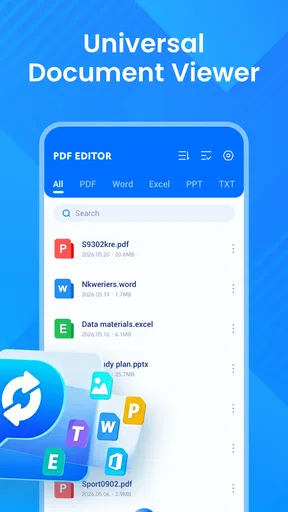
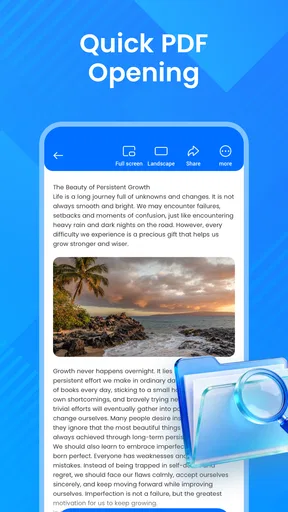
During the first few days, the most convincing use case is straightforward: I receive a document, open it, check whether it is readable, and decide what format makes sense next. That workflow is especially handy on a phone, where switching between several apps can make a simple task feel unnecessarily complicated. The ability to work with PDFs, office documents, and images gives the app a wider starting point than a reader that only displays PDF files.
A realistic example is preparing paperwork for an appointment. I might photograph a printed page, turn the image into a PDF, and then open the resulting file to check the order and readability before sending it. The value is not that this replaces a desktop document workflow; it is that I can handle the first practical step without waiting to reach a computer. For occasional household, school, travel, or administrative tasks, that convenience can justify keeping it installed.
The image-to-PDF workflow also changes how I think about phone photos. A camera image is fine for a quick reference, but a PDF is usually easier to share as a document and less awkward when several pages belong together. I would still inspect every page before sending anything important. A dark photo, a tilted page, or a finger covering part of the text is not fixed simply because the file has been converted. The app helps with packaging the material; it does not remove the need for a careful scan.
Its support for office documents makes it more flexible than a basic PDF reader. If someone sends me a file in a format I do not want to keep, changing it into another format can be useful for compatibility. This is where I would test a file on a case-by-case basis rather than assume every conversion will preserve the original perfectly. Text-heavy documents may survive the process well, while complex layouts, unusual fonts, tables, or embedded elements can be more sensitive.
That trade-off matters because “change file formats” is not the same as “reproduce every editing detail without alteration.” I would use the converted result for sharing, viewing, or continuing a simple workflow, but I would compare it with the source before relying on it for a formal submission. This habit is one of the most important practical tips for using a conversion app: always open the output, scroll through the whole document, and check the pages that matter most.
The app is free, which lowers the barrier to trying it for a one-off need. Its content rating is Everyone, so it is positioned as a general-purpose utility rather than a specialist tool for a narrow professional audience. On Android, the minimum requirement is version 8.0, making it accessible to many older devices while still leaving the actual experience dependent on the phone’s storage, screen, and document-handling performance.
Its early reception is encouraging without being a reason to stop evaluating it critically. PDF Editor - PDF Reader has an average rating of 4.2 from over 800 ratings, with more than 80 written reviews and over 100K installs. I read that as evidence that the basic promise works for a meaningful group of users, not as proof that every document type or workflow will behave identically on every phone.
What makes the first week feel useful
The strongest first-week pattern is the “single errand” workflow. I do not need a full document-management system when I only need to open a file, create a PDF from a few images, or make a copy in a more convenient format. The app earns attention by being available for those small jobs that otherwise lead to a chain of downloads and temporary files.
A second useful approach is to treat it as a staging area rather than the final home for important documents. I can use it to prepare a file, inspect the result, and then move the finished copy into my preferred storage or sharing routine. That keeps expectations realistic. The app is valuable when it shortens the path between “I have this file” and “this file is ready to use,” even if another service remains part of the larger process.
I also appreciate the difference between viewing and converting. Sometimes I only need to read a document, and conversion would add unnecessary risk. Other times, the format itself is the obstacle. Keeping those two decisions separate helps avoid needless changes. My rule would be simple: preserve the original, convert a copy, and compare the output before deleting anything.
Why the month-to-month test is harder
After the initial novelty fades, the question becomes whether I encounter enough document problems to return regularly. A free utility can be useful and still become forgotten if its role is too occasional. For me, the lasting value depends on whether I frequently receive mixed file types or take paper documents that need to be organized into PDFs.
People who handle school forms, receipts, travel paperwork, rental documents, or small business records may have a recurring reason to keep it nearby. In those situations, the app can become part of a repeatable habit: capture, convert, inspect, rename, and store. The important benefit is not a single conversion but the reduction of friction each time the same kind of task appears.
For someone who reads PDFs every day, the answer is less automatic. A dedicated reader may offer a more focused reading experience, better organization, or tools designed specifically for annotation and reference work. If my main activity is long-form reading, I would compare the app carefully with the reader I already trust instead of assuming the extra conversion features make it better.
The same applies to office work. A full office suite is usually the better choice when I need to create and revise complex documents, maintain exact formatting, collaborate, or work through a long editing session. PDF Editor - PDF Reader makes more sense as a practical companion for opening and changing files than as the central workspace for serious document production.
That distinction gives the app a clear long-term audience. It is not trying to replace every tool on a phone. Its recurring value comes from being the utility I remember when a file is inconvenient, a paper page needs to become a document, or a format mismatch blocks the next step.
Building a low-effort routine
The best maintenance habit is to keep the original file beside the converted copy until the task is complete. This is particularly important when a document contains tables, signatures, aligned fields, or visual elements. If something shifts during conversion, the source gives me a reliable fallback and makes it easier to repeat the job with a different approach.
I would also avoid treating every image as ready for conversion. Before creating a PDF, I would check lighting, page edges, orientation, and whether the text is sharp enough to read at normal size. This is a small step, but it prevents the common frustration of discovering later that a document technically exists while being unpleasant or impossible to use.
For recurring paperwork, I would create a consistent naming habit outside the conversion step: include the subject and date in the filename, then store the finished copy where I can find it again. The app can help create the document, but long-term organization still depends on what I do after leaving it. That is an important boundary: a conversion utility cannot substitute for a filing system.
There is also a useful privacy-minded routine even without making assumptions about the app’s policies. I would avoid keeping sensitive scans in temporary locations longer than necessary, remove abandoned duplicates, and send only the finished file. This is sensible document hygiene for any mobile workflow, especially when the phone contains personal forms or identification-related paperwork.
Where fatigue can appear
The first source of fatigue is the gap between a simple description and real document variety. Opening an ordinary PDF is one thing; preserving a complicated layout during a format change is another. I would not choose this app for a workflow where a tiny formatting difference could invalidate the result without first checking several representative files.
A second source is the phone itself. A small screen is convenient for a quick inspection but tiring for detailed comparison, page-by-page proofreading, or precise edits. If I need to verify every line of a long document, I would rather use a larger display. The app can make the file available, but it cannot make a mobile screen feel like a desktop workspace.
There is also a mental cost to handling several copies. Converting an image, checking the PDF, changing the format again, and then sharing the right version can create confusion if filenames are vague. My practical solution is to keep one untouched original and one clearly named working copy. Without that discipline, the convenience of having many formats can turn into uncertainty about which file is final.
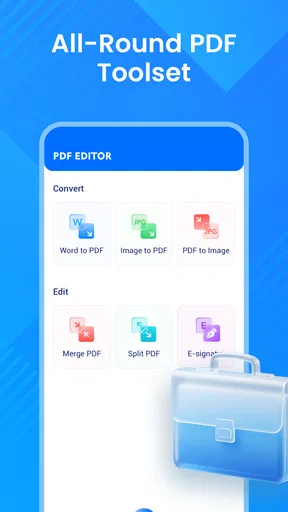
Users looking for advanced document editing should be cautious about expectations. The name PDF Editor may suggest a deep editing environment, but the confirmed core is opening documents, converting images to PDFs, and changing formats. I would choose a specialized editor when I need extensive page manipulation, detailed annotations, form creation, or professional layout control. This app is more compelling when the job is conversion and access rather than elaborate revision.
Another reason someone might skip it is infrequency. If I almost never handle office files or scanned pages, installing a separate productivity tool may add clutter without creating a real habit. In that case, the built-in document viewer or an existing cloud service may already cover the occasional need. The app earns its place when its broader format support solves a repeated inconvenience, not merely because it can perform a task I might need once a year.
Comparing it with the usual alternatives
Compared with a dedicated PDF reader, this app has a wider practical role because it begins before reading: an image can become a PDF, and a document can be prepared in another format. The dedicated reader may still be preferable for someone whose priority is comfortable, focused reading. My choice would depend on whether conversion appears in my regular workflow or whether I only want to open finished PDFs.
Compared with a full office suite, the advantage is simplicity for smaller jobs. A complete suite is better when I am composing, editing, and managing substantial documents. PDF Editor - PDF Reader is more appealing when I need a quick bridge between formats and do not want to open a large workspace for a minor task.
Compared with separate scanner and converter apps, the benefit is consolidation. I can start with an image and end with a PDF in the same general tool. The compromise is that a specialized scanner may give me a more refined capture process, while a specialized converter may handle particular file types more consistently. For ordinary paperwork, consolidation is convenient; for demanding professional material, specialization may win.
Cloud-based tools can be stronger when I need synchronization across devices or collaboration. This app is more attractive for a direct phone-based task where I want to prepare a file locally and move on. I would choose the cloud route when several people need access or when the document must remain part of a shared workspace rather than a one-time conversion.
Who should keep it installed
I would recommend it to students handling photographed notes or forms, households organizing paper documents, travelers dealing with scanned paperwork, and small operators who regularly receive files in inconvenient formats. It is also a sensible backup utility for anyone who wants one place to open PDFs and office documents without immediately committing to a larger office platform.
I would be more selective for professional designers, legal teams, researchers with demanding annotation needs, and anyone who depends on exact layout preservation. Those users may need tools built around editing depth, collaboration, searchable archives, or strict document fidelity. The free price is appealing, but free access does not remove the cost of checking results carefully when the document matters.
The current version is 1.0.1, and the product was released on June 12, 2026. That places extra importance on judging it as a focused utility rather than assuming it already covers every mature document workflow. I would keep my expectations centered on its practical core and watch how well it fits my own files over time.
My long-term verdict
After the first-week appeal wears off, PDF Editor - PDF Reader still has a reasonable chance of earning permanent space on the right phone. Its lasting value is not entertainment or a constantly changing feature set. It comes from recurring moments when a PDF needs opening, an image needs turning into a document, or a file needs to move into a more useful format.
For me, the deciding factor would be frequency. If I handle mixed documents several times a month, the app’s free, compact approach is easy to justify. If I only read PDFs, a dedicated reader may feel cleaner. If I need deep editing or collaboration, a full office or cloud solution is the better investment of attention.
The app earns its place through repeated small victories, not through replacing every document tool. Keep the original files, inspect converted results, and use it as a practical bridge rather than a complete office environment. With those expectations, IMAM’s productivity app is a useful choice for everyday document chores and a less convincing one for demanding, long-form editing.
In short, I would install it for flexible mobile document handling and keep it only if those tasks return often enough to become a habit. Its free availability and broad starting point make trying it easy, while its long-term usefulness depends on the quality of the files I work with and the level of control I expect. For ordinary conversions and quick access, it is worth a place in my toolkit.
Verdict
Strengths of PDF Editor - PDF Reader
- Edit, annotate, sign, and organize PDFs in one app.
- Supports common PDF viewing and document management tasks.
- Useful markup tools for highlighting and adding notes.
- Convenient for reviewing documents while traveling or away from a computer.
- Can reduce the need for several separate PDF utilities.
Limitations of PDF Editor - PDF Reader
- Some advanced editing features may require a paid subscription.
- Large or image-heavy PDFs can take longer to load.
- Mobile editing is less precise than working on a desktop.
- Scanned PDFs may need OCR before their text can be edited.
- The interface may feel crowded for first-time users.
Similar Picks in This Category
View All
Google Calendar
Google LLC4.6

Google Drive
Google LLC4.3

Google Assistant
Google LLC3.9

Microsoft OneDrive
Microsoft Corporation4.6

Samsung Calendar
Samsung Electronics Co., Ltd.4.1

Microsoft OneNote: Save Notes
Microsoft Corporation4.6
Frequently Asked Questions
What can PDF Editor - PDF Reader do?
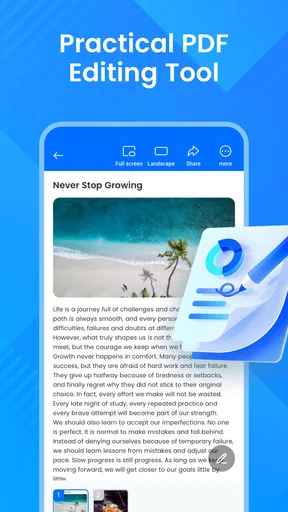
PDF Editor - PDF Reader is designed to handle everyday PDF tasks from one mobile app. You can open and read documents, search for words, zoom in on pages, and organize files stored on your device or shared through other apps. Depending on the version and device, editing tools may also let you add text, annotations, highlights, drawings, signatures, or other changes before saving the document.
Can I edit PDF files without an internet connection?
Many basic reading and annotation functions can usually be used offline once the application and the required files are available on your device. This makes it practical for reviewing documents while traveling or in places with limited connectivity. However, features such as cloud access, online conversion, file sharing, advertisements, or account-related services may require an internet connection, so availability can vary by version.
Does PDF Editor - PDF Reader support signing and filling out forms?
The app may be useful for completing documents by adding typed text, check marks, handwritten notes, or a signature, depending on the tools included in your installed version. Before relying on it for official paperwork, test the form carefully because interactive PDF fields are not always handled consistently by mobile editors. Also confirm that the saved signature and completed fields appear correctly after exporting.
Can I convert, merge, or share PDF documents with this app?
PDF Editor - PDF Reader may include document-management options such as sharing files with another application, saving edited copies, combining pages, or converting documents into other formats. These tools can differ according to the operating system, subscription plan, and app release. It is worth checking the feature list inside the app before downloading if conversion or advanced page management is essential to your workflow.
Is PDF Editor - PDF Reader free to use and safe for private documents?
The application may be available as a free download, but some advanced editing, conversion, storage, or ad-free functions could be restricted by in-app purchases or a subscription. For privacy, review the permissions requested and the developer’s privacy policy before opening sensitive files. Avoid uploading confidential documents to online services unless you understand how they are processed, stored, and deleted.
